
Local SEO mistakes cost Bay Area businesses real customers every single day. The frustrating part? Most business owners have no idea they’re making them. They invest in a website, claim their Google listing, maybe post on social media occasionally, and wonder why the phone isn’t ringing.
After auditing hundreds of Bay Area businesses, we see the same local SEO mistakes repeated over and over. Here are the 7 most costly ones and exactly how to fix each of them before your competitors take the customers that should be yours.
Mistake 1: Inconsistent NAP Information Across the Web
This is the most damaging of all local SEO mistakes and the most common. NAP stands for Name, Address, and Phone number. When your business information differs across directories, Google loses confidence in your legitimacy.
We regularly find businesses listed as “Bay Area Dental Care” on Google, “Bay Area Dental” on Yelp, and “BADC Dental Care” on their website. Three different names for the same business. Google sees three different businesses.
The same problem happens with addresses. Suite 101 vs #101 vs Ste 101. Different phone numbers on different platforms. Even small inconsistencies hurt your local ranking.
How to fix it: Choose one exact version of your business name, address, and phone number. Then audit every directory listing, social profile, and website mention to match it exactly. Tools like Moz Local can scan for inconsistencies automatically. Our local SEO service includes a full citation audit and cleanup as standard.
Mistake 2: Neglecting Your Google Business Profile
A half-completed Google Business Profile is one of the local SEO mistakes that has the most immediate impact on your visibility. Google reports that businesses with complete profiles are 70% more likely to attract location visits and 50% more likely to lead to a purchase.
Most Bay Area businesses fill out their name, address, and phone number and then forget about it. That’s roughly 30% of what’s available. The other 70% includes business description, services, products, attributes, Q&A, photos, posts, and more.
How to fix it: Complete every single field on your GBP. Add at least 20 high-quality photos. Post weekly updates. Seed your Q&A section with the questions customers actually ask. Our GBP optimization service takes profiles from 30% to 100% completion within the first week.
Mistake 3: Ignoring Online Reviews (or Not Asking for Them)
Among the local SEO mistakes we see, this one has the clearest connection to lost revenue. According to BrightLocal’s 2024 survey, 88% of consumers trust online reviews as much as personal recommendations.
Yet most businesses wait passively for reviews to appear. They might have 12 reviews while their competitor across the street has 200. Even if your service is better, the business with more social proof wins the click.
How to fix it: Build an active review generation system. QR codes at checkout. Post-service email requests. Text message follow-ups. Make it absurdly easy for happy customers to leave a review, and respond to every review (positive and negative) within 24 hours. Read our detailed guide on our review management approach.
Mistake 4: No Location-Specific Pages on Your Website
If you serve multiple cities in the Bay Area but only have one generic service page, you’re making one of the most expensive local SEO mistakes possible. Google matches search queries to specific content. If someone searches “plumber in Fremont” and your website never mentions Fremont, you won’t rank there.
This doesn’t mean creating thin, duplicate pages for every city. Each location page needs unique content about that community, the specific services you provide there, local references, and genuine reasons why you serve that area.
How to fix it: Create individual landing pages for each city or neighborhood you serve. Include unique content about the area, specific services available there, and a clear call-to-action. For a Bay Area business serving 5 to 10 cities, this alone can dramatically expand your organic reach.
Mistake 5: Slow Website Speed and Poor Mobile Experience
Google uses page speed and mobile usability as ranking factors. If your website loads in more than 3 seconds on mobile, you’re losing 53% of potential visitors before they even see your content. That’s not a local SEO mistake you can afford in the competitive Bay Area market.
Test your speed right now at PageSpeed Insights. If your mobile score is below 50, you have a serious problem. If it’s below 80, you have room for significant improvement.
How to fix it: Compress images, enable browser caching, minimize CSS and JavaScript, and consider better hosting. For WordPress sites, switching to optimized hosting and adding a caching plugin can cut load times in half. Our website optimization service consistently gets sites below 2.5 seconds.
Mistake 6: No Content Strategy or Blog
Having a website with 5 static pages and no blog is one of the quieter local SEO mistakes, but it limits your ranking potential enormously. Every blog post is a new opportunity to rank for a different search query. Without fresh content, Google has no reason to revisit your site regularly.
A restaurant that publishes monthly posts about seasonal menus, local food events, and Bay Area dining guides will outrank a competitor with a static website every time.
How to fix it: Publish at least 2 blog posts per month targeting questions your customers ask. Each post should target a specific keyword, include internal links to your service pages, and provide genuine value. Consistency matters more than volume.
Mistake 7: Not Tracking Results or ROI
The final local SEO mistake is flying blind. If you don’t have Google Analytics 4, Google Search Console, and some form of call tracking installed, you have no idea whether your marketing is working.
We regularly meet business owners spending $2,000 per month on marketing who can’t tell us how many leads it generated last month. Without tracking, you can’t optimize. Without data, every decision is a guess.
How to fix it: At minimum, install GA4 and Google Search Console. Set up conversion tracking for phone calls and form submissions. Review your data monthly. Our tracking and analytics service sets up complete measurement in the first week.
How to Fix All 7 Local SEO Mistakes at Once
If you recognized your business in multiple local SEO mistakes above, don’t panic. The good news is that fixing these issues creates a compounding effect. Each fix reinforces the others.
The priority order for most Bay Area businesses:
Week 1: Fix NAP consistency and complete your Google Business Profile.
Week 2: Set up review generation and analytics tracking.
Month 1: Optimize website speed and mobile experience.
Month 2: Create location-specific pages for your service areas.
Month 3+: Begin a consistent content and blogging strategy.
Or you can get a free SEO audit from us and we’ll tell you exactly which local SEO mistakes are costing you the most customers and fix them in priority order.
Frequently Asked Questions About Local SEO Mistakes
What is the biggest local SEO mistake businesses make?
Inconsistent NAP information. It undermines every other local SEO effort because it confuses Google about your business identity and location.
How many local SEO mistakes can I fix myself?
Most of them, with enough time and knowledge. NAP cleanup, GBP completion, and review requests are all doable. Technical fixes like speed optimization and analytics setup usually benefit from professional help.
How fast will fixing local SEO mistakes improve my ranking?
GBP optimization and NAP cleanup often show improvements within 2 to 4 weeks. Content and link building take 3 to 6 months. The combined effect of fixing multiple issues simultaneously accelerates results.
Are local SEO mistakes different in the Bay Area?
The mistakes are universal, but the impact is amplified in competitive markets like the Bay Area. When competitors are doing SEO correctly, your mistakes cost you more customers and revenue.
================================================================
=== POST 5 OF 19 ===
================================================================
WORDPRESS SETTINGS:
Title: How to Get More Google Reviews: 12 Proven Methods That Work Fast
Slug: how-to-get-more-google-reviews
Category: Google Business Profile
Tags: google reviews, review generation, reputation management, google business profile, local seo, customer reviews
Featured Image Alt Text: how to get more google reviews for your business guide
RANKMATH SETTINGS:
Focus Keyword: get more google reviews
SEO Title: How to Get More Google Reviews: 12 Proven Methods [2026 Guide]
Meta Description: Learn 12 proven methods to get more Google reviews for your business fast. Practical tactics you can start using today for immediate results.
— PASTE INTO WORDPRESS (HTML MODE) —
Get more Google reviews and you get more customers. It really is that direct. Studies from BrightLocal confirm that 88% of consumers trust online reviews as much as personal recommendations, and businesses with higher review counts rank better in Google’s local 3-pack.
But knowing you need reviews and actually getting them are two different problems. Most business owners ask once or twice, get ignored, and give up. The businesses that consistently get more Google reviews use systems, not willpower.
Here are 12 methods that work, ranked from easiest to implement to most powerful for long-term growth.
Method 1: The Direct Google Review Link
Before anything else, you need to make leaving a review as frictionless as possible. Google provides a direct review link that skips navigation and opens the review popup immediately.
To find yours, search your business on Google, click your GBP, then click “Ask for reviews.” Copy the link and shorten it using a URL shortener. This single link eliminates 80% of the friction in the review process.
When you get more Google reviews, most of them will come through this single link.
Method 2: QR Code at Point of Sale
Print a QR code linked to your Google review page and place it everywhere customers complete a transaction: checkout counters, receipts, table tents, takeout bags, and business cards.
The psychology works because you catch customers at peak satisfaction, right after a positive experience. A simple sign saying “Loved your experience? Scan to leave a review” can generate 5 to 15 new reviews per month for a busy business.
This is one of the fastest ways to get more Google reviews because it requires zero manual effort once set up.
Method 3: Post-Service Email Request
Send an automated email 2 to 4 hours after service completion. The timing matters. Too soon feels pushy. Too late and the experience fades from memory.
Keep the email short: thank them, ask for feedback, provide the direct review link, and make it personal. Emails that mention the specific service performed convert 3x better than generic review requests.
Method 4: SMS Text Follow-Up
Text messages have a 98% open rate versus 20% for email. A simple text like “Hi [Name], thanks for visiting today! If you have 60 seconds, we’d love a Google review: [link]” outperforms email by 2 to 3x for review generation.
Make sure you have proper consent to text customers. Include an opt-out option.
Method 5: Ask at the Moment of Delight
Train your team to recognize moments of customer delight and make the ask right then. When a client says “this is amazing” or “you guys are the best,” that’s the moment to say: “That means so much. Would you mind sharing that in a quick Google review? It really helps us.”
People who verbally express satisfaction are 10x more likely to follow through on a review request than those who were merely satisfied.
Method 6: The “Review Us” Page on Your Website
Create a dedicated page on your website (yoursite.com/review) with a clear headline, your Google review link, and simple instructions. This becomes a universal URL you can share in emails, texts, social media, and printed materials.
Our review management service includes setting up this page with your branding and multiple platform links.
Method 7: Include the Ask in Your Email Signature
Add a simple line to every email signature: “Happy with our service? Leave us a Google review [link].” Every email your team sends becomes a passive review request. For a business sending 50 emails per day, that’s 1,500 monthly review impressions at zero effort.
Method 8: Follow Up After Resolving a Problem
Counter-intuitive but powerful: customers whose problems were resolved well are more likely to leave glowing reviews than customers who never had issues. After resolving a complaint, wait 24 hours and ask for feedback. Many will leave reviews praising your customer service.
Method 9: Social Media Review Prompts
Share your best existing reviews on Instagram and Facebook with a caption like “Reviews like this make our day. If we’ve helped you, we’d love to hear about it too.” Include your review link in the bio and post caption.
This works because seeing others review creates social proof that reviewing is normal and easy.
Method 10: Google Business Profile Posts
Use your GBP weekly posts to highlight customer reviews and invite new ones. A post saying “We just hit 100 reviews! Help us get to 150” creates a goal-oriented motivation for customers. Your optimized GBP should include regular review-generating posts.
Method 11: Review Cards with Receipts or Deliveries
Physical review request cards included with receipts, packaging, or deliveries work especially well for e-commerce, restaurants with takeout, and service businesses that leave physical materials behind.
Design a small card with your QR code, a brief message, and your business name. Include it with every order or service delivery.
Method 12: Build an Automated Review Funnel
The most effective way to get more Google reviews consistently is to automate the entire process. Combine email sequences, SMS follow-ups, and QR codes into a funnel that runs without your involvement.
The system looks like this: Customer completes service. Two hours later, an automated email asks for feedback. If no response, a text goes out the next day. If they click but don’t complete, a gentle reminder follows 3 days later.
This consistent, automated approach generates 10+ new reviews per month for most businesses. Our reputation management service builds and manages this entire system for you.
What NOT to Do When Trying to Get More Google Reviews
Never offer incentives for reviews. Google’s policies prohibit exchanging gifts, discounts, or money for reviews. Violations can result in review removal or profile suspension.
Never buy fake reviews. Google’s algorithms detect fake reviews and penalize businesses that use them. The risk to your business far outweighs any short-term benefit.
Never review-gate. Sending happy customers to Google and unhappy customers to a private feedback form violates platform policies. Send everyone to the same place.
Never ignore negative reviews. Unanswered negative reviews look worse than the negative review itself. Always respond professionally within 24 hours.
Frequently Asked Questions
How many Google reviews do I need?
Aim for more than your top 3 local competitors. For most Bay Area businesses, that means 50 to 150+ reviews. The number matters, but recency matters even more. 10 reviews this month beats 50 reviews from 2 years ago.
How fast can I get more Google reviews?
With a proper system in place, most businesses generate 10 to 15 new reviews per month starting within the first 2 weeks. Consistency is key.
Do Google reviews affect my search ranking?
Yes. Review quantity, recency, and rating are confirmed local ranking factors. Businesses with more and newer reviews consistently rank higher in the local 3-pack.
Can I ask employees or friends to leave reviews?
Google discourages reviews from people with conflicts of interest. Focus on genuine customer reviews. They carry more weight with both Google and potential customers.
================================================================
=== POST 6 OF 19 ===
================================================================
WORDPRESS SETTINGS:
Title: How Website Speed Destroys Your Google Ranking (and 5 Quick Fixes)
Slug: website-speed-affects-google-ranking
Category: Website Optimization
Tags: website speed, google ranking, page speed, core web vitals, site performance, seo
Featured Image Alt Text: website speed google ranking impact chart
RANKMATH SETTINGS:
Focus Keyword: website speed google ranking
SEO Title: How Website Speed Destroys Your Google Ranking: 5 Quick Fixes [2026]
Meta Description: Slow website speed kills your Google ranking and drives customers away. Here are 5 quick fixes backed by data that make the biggest difference.
— PASTE INTO WORDPRESS (HTML MODE) —
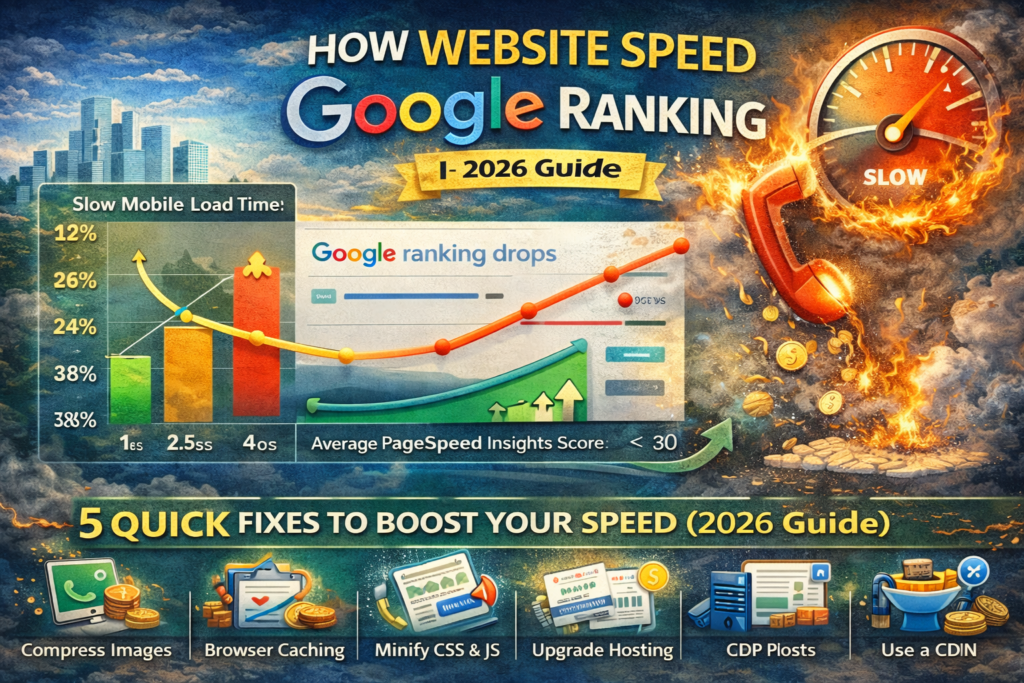
Website speed directly affects your Google ranking and your ability to convert visitors into customers. Google has confirmed that page speed is a ranking factor, and their own data shows that 53% of mobile visitors abandon sites that take longer than 3 seconds to load.
For Bay Area businesses competing in local search, website speed and Google ranking are inseparable. A slow website doesn’t just rank lower. It drives away the customers who do find you. Every second of load time costs you money.
Here’s exactly how website speed affects your Google ranking and 5 fixes you can implement today.
Why Website Speed Kills Your Google Ranking
Google introduced Core Web Vitals as official ranking signals in 2021. These metrics measure three aspects of page experience that directly reflect how website speed impacts Google ranking:
Largest Contentful Paint (LCP): How quickly the main content loads. Google wants this under 2.5 seconds. Most small business websites score 4 to 8 seconds.
Interaction to Next Paint (INP): How quickly the page responds when a user clicks something. Google wants this under 200 milliseconds.
Cumulative Layout Shift (CLS): How much the page layout shifts during loading. Elements jumping around as the page loads frustrates users and hurts ranking.
According to research from Google’s Web Vitals documentation, pages that pass all three Core Web Vitals thresholds receive a ranking advantage in search results. Pages that fail get pushed down.
The Real Cost of a Slow Website
The impact of poor website speed on Google ranking goes beyond search position. It directly affects your revenue.
Every additional second of load time reduces conversions by 7%. A site loading in 5 seconds instead of 2 seconds loses approximately 21% of potential conversions. For a business generating 100 leads per month, that’s 21 lost customers every single month.
Amazon calculated that every 100 milliseconds of additional load time cost them 1% in revenue. For local businesses, the math is even more dramatic because you have fewer visitors and each one matters more.
How to Test Your Website Speed Right Now
Use these free tools to measure your website speed and understand its impact on your Google ranking:
Google PageSpeed Insights: The most important test because it shows exactly what Google sees. Enter your URL and check your mobile score. Aim for 80+ on mobile.
GTmetrix: Provides waterfall analysis showing exactly which files load slowly. Useful for identifying the specific bottlenecks on your site.
Google Search Console: Under Core Web Vitals, see how Google evaluates your actual pages based on real user data.
If your mobile PageSpeed score is below 50, your website speed is significantly hurting your Google ranking. Below 80 means there’s substantial room for improvement.
Fix 1: Compress and Optimize Images
Images account for 50 to 80% of total page weight on most small business websites. A single unoptimized photo from a smartphone can be 3 to 5 MB. That one image takes longer to load than your entire website should.
Convert all images to WebP format, which provides the same quality at 25 to 35% smaller file size compared to JPEG. Resize images to the actual display dimensions rather than uploading full-resolution originals.
For WordPress sites, install an image optimization plugin that compresses uploads automatically. This single fix often improves website speed scores by 20 to 40 points, which directly benefits your Google ranking.
Fix 2: Enable Browser Caching
Browser caching stores website files on a visitor’s device so they don’t re-download everything on repeat visits. Without caching, every page load fetches every file from scratch, dramatically slowing your website speed and hurting Google ranking for returning visitors.
For WordPress, install a caching plugin and enable page caching, browser caching, and object caching. The improvement is immediate and significant, often cutting load times by 40 to 60% for returning visitors.
This fix is one of the easiest ways to improve both website speed and Google ranking simultaneously.
Fix 3: Minimize CSS and JavaScript
Most WordPress themes and plugins load dozens of CSS and JavaScript files on every page, even when they’re not needed. Each file requires a separate server request, and unused code slows down rendering.
Minify your CSS and JavaScript to remove whitespace and comments. Defer non-critical scripts so they load after the main content appears. Combine files where possible to reduce the number of server requests.
Many caching plugins include minification features. Enabling this can improve website speed scores by 10 to 20 points, which compounds with other fixes to significantly boost your Google ranking.
Fix 4: Upgrade Your Hosting
Cheap shared hosting puts your website on a server with hundreds of other sites, all competing for the same resources. During peak traffic, your website speed slows to a crawl, and your Google ranking suffers as a result.
Upgrading to quality managed WordPress hosting typically costs $20 to $50 per month (compared to $3 to $10 for shared) and provides dramatically faster server response times. The first byte of your website reaches visitors in milliseconds instead of seconds.
For Bay Area businesses where competition is fierce, the $20 to $40 per month difference in hosting cost can mean the difference between page 1 and page 3 of Google results.
Fix 5: Implement a CDN (Content Delivery Network)
A CDN stores copies of your website on servers around the world. When someone visits your site, they receive files from the nearest server rather than your origin server, which could be across the country.
Cloudflare offers a free CDN that integrates with any website. Enabling it typically reduces load times by 30 to 50% for visitors outside your hosting server’s geographic area.
For Bay Area businesses, a CDN ensures fast load times for visitors throughout California, which strengthens both website speed and Google ranking across your entire service area.
Which Fix to Prioritize First
If you can only do one thing today, compress your images. It’s the single biggest impact fix for most small business websites.
The recommended priority order for maximum impact on your website speed and Google ranking:
Day 1: Compress and optimize all images.
Day 2: Install and configure a caching plugin.
Week 1: Minify CSS and JavaScript files.
Week 2: Evaluate and upgrade hosting if needed.
Week 3: Implement a CDN.
After all five fixes, retest your site on PageSpeed Insights. Most businesses jump from a score of 30 to 40 up to 80 to 90, which is the range where website speed positively impacts Google ranking rather than hurting it.
Want us to handle it? Our website optimization service implements all five fixes plus additional performance tuning to get your site loading under 2.5 seconds. Get a free speed audit to see exactly where you stand.
Frequently Asked Questions
How much does website speed actually affect Google ranking?
Google has confirmed Core Web Vitals as ranking factors. While content relevance and backlinks remain more important, website speed acts as a tiebreaker between similarly relevant pages. In competitive local markets like the Bay Area, that tiebreaker often determines who ranks on page 1.
What is a good PageSpeed score?
On mobile, aim for 80 or higher. Scores of 50 to 79 are average. Below 50 means your website speed is actively hurting your Google ranking and user experience.
Will speed improvements affect my rankings immediately?
Speed improvements are recognized by Google within days to weeks as their crawler revisits your pages. However, the full ranking benefit compounds over time as user engagement metrics improve alongside the technical speed scores.
Can a slow website rank well if the content is great?
In theory, yes. In practice, a slow website creates high bounce rates and poor user engagement, which signal to Google that users aren’t satisfied. Fast websites with good content will almost always outrank slow websites with similar content.